
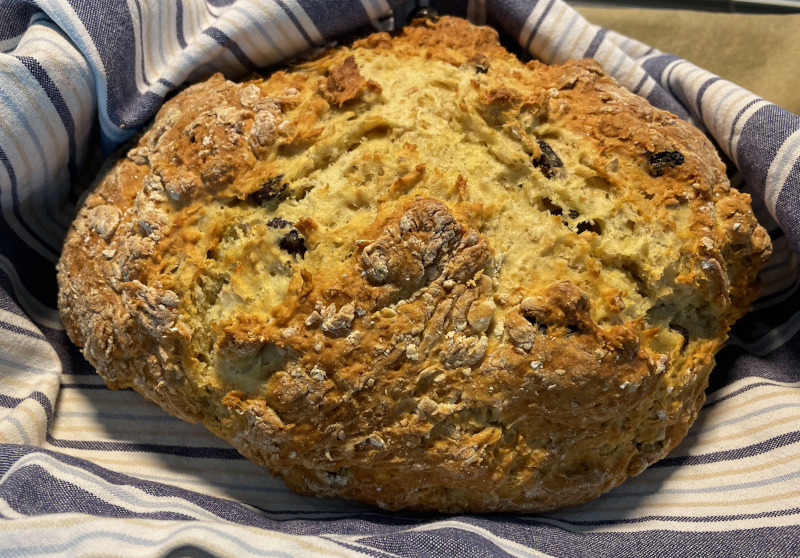
A while back I stumbled upon a few recipes that had both baking soda and baking powder in them. Typically, you use just either-or. Immediately I thought about multi-factor authentication. Similar to having several factors to authenticate that it is you, you have several raising agents in your pastry!
What is multi-factor authentication?
The traditional way to authenticate is to type in username and password. The password is something that only you are supposed to know. Because the username and password can be guessed, leaked in data breaches, or gained with phishing, this is not a very secure method.
We can add more factors to authentication to make it more secure. In addition to something you know, we can demand that you show proof of something you have: your phone, for example. As almost everyone has a phone now, sending an additional authentication code as a text message is popular. You can also have separate authenticator devices.

Now we have multiple factors: something you know and something you have. This is called multi-factor authentication (MFA). Biometric authentication, such as fingerprint scan or retina scan, checks something you are.
Note that sometimes MFA is referred to as two-factor authentication (2FA). I don’t typically use this term because the original approach, username, and password, already has two factors. But it depends on your viewpoint. If you consider the username public or already known information, then the extra verification code is indeed the second factor. But let’s not split hairs, I’ll just call this extra authentication layer MFA from now on in this article.
How cybercriminals bypass multi-factor authentication
Multi-factor authentication can prevent someone from getting into your account if you get phished or your password leaks from a data breach of a poorly secured site. However, multi-factor authentication is not perfect. Let’s look at some attacks against MFA.
Phishing MFA codes live. Cybercriminals know that several users are using MFA so they take that into account when creating phishing sites. They add a convincing-looking step to ask for your MFA code, and because they are simultaneously entering your phished credentials to the actual site, you will get the code into your phone or MFA app. When you enter the MFA code to the phishing site, the criminals quickly enter the code to the real site as well. Multi-factor authentication was successfully bypassed. There are ready-made MFA phishing tools, such as Modlishka, that act as a man-in-the-middle proxy to perform
Social engineering MFA codes. The cybercriminal might pose as an acquaintance and politely ask you to send them the code you ‘accidentally’ received. This type of scam has been seen at least with WhatsApp.
Abusing application trust. If certain apps are allowed to bypass MFA, for example with an application-specific password, that trust can be abused. In an attack described by ThreatPost in 2020, the cybercriminals lure the victims to grant permissions to a malicious app that can bypass multi-factor authentication.
Exploiting authentication vulnerabilities. Vulnerabilities in the authentication protocol or implementation might allow attackers to bypass multi-factor authentication. For example, weaknesses in WS-Trust can allow bypassing MFA to get access to Microsoft 365 or other Microsoft-provided cloud services. The vulnerabilities are explained in detail in the SecureCloudBlog from 2019 and the Proofpoint blog from 2020.
Pass-the-cookie attacks. After you have successfully authenticated with MFA, you can use the application without entering any credentials for a while as long as the session is valid. Some cloud services also offer a “Stay logged in” option so you don’t need to re-authenticate so often. The session information is usually stored in a cookie on your computer. If an attacker can get hold of that cookie, for example by tricking you to install an info-stealing malware that steals the cookie, and puts it in their browser, they can effectively browse the application as you. The pass-the-cookie attack is explained step by step in the Stealthbits blog.
SIM swapping. In a SIM swapping attack, the attacker persuades a mobile phone provider to switch a phone number to a new SIM card. The criminal can use details gathered from social media and other online sources, data leaks, and phishing to convince the customer service. The pretext for switching the SIM can be that your phone was lost or that your new phone needs a different size of SIM card.
In February 2021, Europol arrested several criminals that had been doing a series of SIM swapping attacks against thousands of victims in the United States. The attackers were able to steal money and personal information, post social media content and send messages impersonating the victims. The criminals also hijacked social media accounts to post content and send messages masquerading as the victim.
Also in February 2021, the telecommunications provider T-Mobile disclosed that they had been a victim of a data breach after an unknown number of SIM swap attacks. The attackers may have accessed personal information including home and email addresses, account security questions, date of birth, and social security numbers.
Number porting. As an alternative to SIM swapping, the criminal can open a new mobile phone subscription impersonating the victim and ask to port the old phone number to the new operator. At least in Finland, in my experience, switching mobile operators take such a long time and you will get notifications about the porting as SMS, so I see this is an unlikely attack method. However, I’m not sure that how fast number porting is in other countries. It can be much faster especially if you claim that the previous SIM is lost.
SIM swapping and number porting attacks, in my opinion, reveal a problem in the level of trust that several customer service desk put in knowing some details, such as a home address, phone number, and personal identity code or social security number, to verify your identity. However, none of this information is secret so it should not be treated as something that only the person in question will know! These attacks should not be so easy.
The caveat of MFA apps
In the light of phishing SMS codes and SIM porting attacks, it seems wise to use MFA apps, that will show the code you need to type or prompt you to accept or reject the new connection. However, there are some caveats in this approach: backups of the MFA app.
- Losing your phone. If your phone gets lost or stolen, there goes the MFA application (and the possibility to receive SMS messages, at least temporarily).
- Resetting your phone. If you need to reset your phone, for example, because you forget the security code, all data in the MFA app is lost.
- Switching to a new phone. For security reasons, some MFA apps don’t allow including the app data into the phone backup, so you cannot restore the content when switching to a new phone.
I’ve lost access to one MFA-protected account myself once when I was switching phones and I did not realize this before it was too late. Depending on the account, getting access back ranges from a minor annoyance to nearly impossible.
Some MFA apps have a backup feature or they have multi-device support, so you can circumvent the problems listed above. Another option is to print backup codes and store them in a secure place so you can use them in case the MFA app does not work or you cannot get SMS messages due to network problems. Obviously, you need to remember where you stored the backup codes if you would ever need them. Another thing to keep in mind is that if an attacker can get hold of your backup codes, they can also use them!
Multi-factor baking: Irish soda bread
One of my dearest baking books is Maailman ihanimmat leivonnaiset (translates to World’s loveliest baked goods) published by Gummerus. The book takes you on a tasty world tour with easy baking recipes around the world, both salty and sweet. From Ireland the book introduces soda bread which fits the multi-factor authentication theme quite nicely: firstly, the recipe uses multiple raising agents, baking soda, and baking powder. Secondly, it bypasses the slower way of making bread with yeast. Perfect!
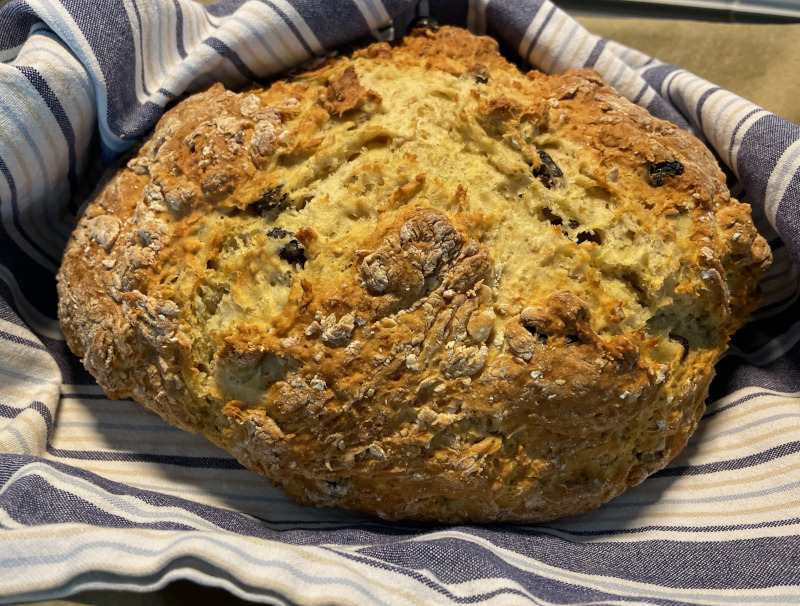
To make soda bread, you’ll need:
- 5 dl wheat flour
- 4-5 dl graham flour (I used bread flour)
- 2 tsp sugar
- 1,5 tsp salt
- 1,5 tsp baking powder
- 1 tsp baking soda
- (2 tsp caraway seeds; these are optional in the original recipe and I left them out)
- (1 dl raisins)
- 4 dl buttermilk (I used non-fat buttermilk)
- 2 eggs
- 2 tbsp melted butter (I used canola oil instead)
Search engines find plenty of soda bread recipes with small variations. Some of them have eggs and some of them don’t so that’s also an optional ingredient like raisins.

Heat the oven to 200 degrees. Mix all the dry ingredients in a bow. Add buttermilk, eggs, and the melted butter, and mix the dough quickly by hand. Tip the dough onto a floured surface and into a round loaf of bread. Place the bread onto a baking tray with paper. Use a sharp knife to cut a cross to the dough. Bake for 30-40 minutes. The book says that the bread is ready if there’s a hollow sound when tapped on the bottom. Wrap the soda bread inside a kitchen cloth and let it cool down for a while.
Soda bread is best as freshly baked and hot. And while you’re munching that yummy bread, you can double-check that you have alternative MFA methods, such as printed backup codes or an MFA app with multi-device support, so you don’t create a denial of service condition for yourself!



 Bake Security In